Select Version of EA Desktop:
The Wells tab provides a record of wells associated with either microseismic or Vertical Seismic Profile (VSP).
To add a well detail to a seismic record:
-
Select the seismic record in the Seismic Propertiesgrid.
-
In the Related Records panel click the Wells tab.
-
Click New to add a row to the grid.
-
Enter the relevant well information in the new row.
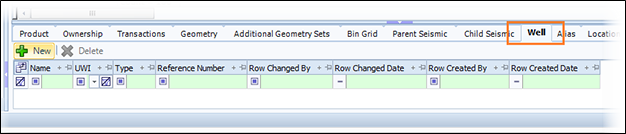
The Wells tab provides a record of wells associated with either Microseismic or Vertical Seismic Profile (VSP).
To add a well detail to a seismic record:
-
Select the seismic record in the Seismic Propertiesgrid.
-
In the Related Records panel click the Wells tab.
-
Click New to add a row to the grid.
-
Enter the relevant well information in the new row.